


Black Friday TV Deals: How to Pick the Right Size and Score a Real Discount
black friday tv deals
A lower price on a TV only counts as a good deal if the TV fits your room and the way you watch TV. To see what TV is best for you, start with things like viewing distance, screen size, and the amount of light in the room. Then compare the sale price with features you’ll use, rather than letting a countdown timer make the decision for you.
Key Takeaways
- Choose a screen size around your seating distance and room layout.
- Think of 32 to 43 inches as compact-room options, 55 to 65 inches as everyday living-room sizes, and 75 inches and up as large-screen choices.
- For rooms with windows, consider how screen reflections and TV brightness affect daytime viewing.
- Compare the sale price with the exact model’s features and size before deciding whether the markdown is worthwhile.
Start With Your Room, Not the Price Tag: A Size-First Guide to Black Friday TV Deals
Black Friday deals can make every screen look like a bargain, but they are not a deal if it’s not the right TV for you. If you start by looking at your room and viewing habits, this can be a better starting point. Note the distance from your usual seat to the screen, the width of the TV stand or wall, and how much ambient light reaches the viewing area. These details narrow the choices before you compare discounts. A screen that feels tiny from the couch is not a useful saving.
Match Screen Size to Viewing Distance
For a quick first pass, sit where you normally watch and picture how much of your view the screen should fill. With picture quality getting so much better on today’s TVs, how far you sit from a TV is thought about differently than in the olden days. It’s a simple matter of moving the decimal point. Looking at a 75-inch TV? You can sit 7.5 feet away. 85-inch? Only 8.5 feet away. And if you want that incredibly immersive 98-inch TV you deserve, you can sit just under 10 feet away and still get an amazing picture.
Size-Bucketed Deal Tiers: 32-43, 55-65, and 75-85 Inches
Use these broad tiers to organize the search, not as rigid rules. A 32-inch or 40-inch set prioritizes a compact footprint; 43 inches gives a little more screen for a secondary room, and can also double as a nice computer or gaming monitor. At 55 or 65 inches, shoppers often find a wider choice of picture technologies and features. For a more immersive living-room setup, compare 75-, 85-, and 98-inch TVs, then account for delivery access and mounting space.
| Size tier | Common fit | Check before buying |
|---|---|---|
| 32-43 inches | Bedrooms and compact spaces | Viewing distance and available surface space |
| 55-65 inches | Everyday living rooms | Seat distance, room light, and feature priorities |
| 75-85 inches | Larger rooms and farther seating | Wall or stand width, delivery route, and viewing distance |
Bright Room or Dark Room? How Light Changes Your Pick
If you have a sunny room with big windows and lamps, these can impact the image you see on screen, reducing vibrancy and color, adding glare, and removing deep blacks. Look for clear information about reflection-reducing screen technology, which reduces reflections rather than removing them. A brighter picture can also help overpower ambient room light to deliver a great viewing experience in a bright room. In a darker room, reflected light may matter less, so consider how you watch movies and shows at night. But don’t dismiss getting the brighter TV: bright flashes of light from explosions and lightning bolts will have better impact and make for a more immersive moviegoing experience in your theater. Where possible, view the TV in lighting similar to your own home.
Which TVs Are Worth Buying This Black Friday: Picks by Size and Budget
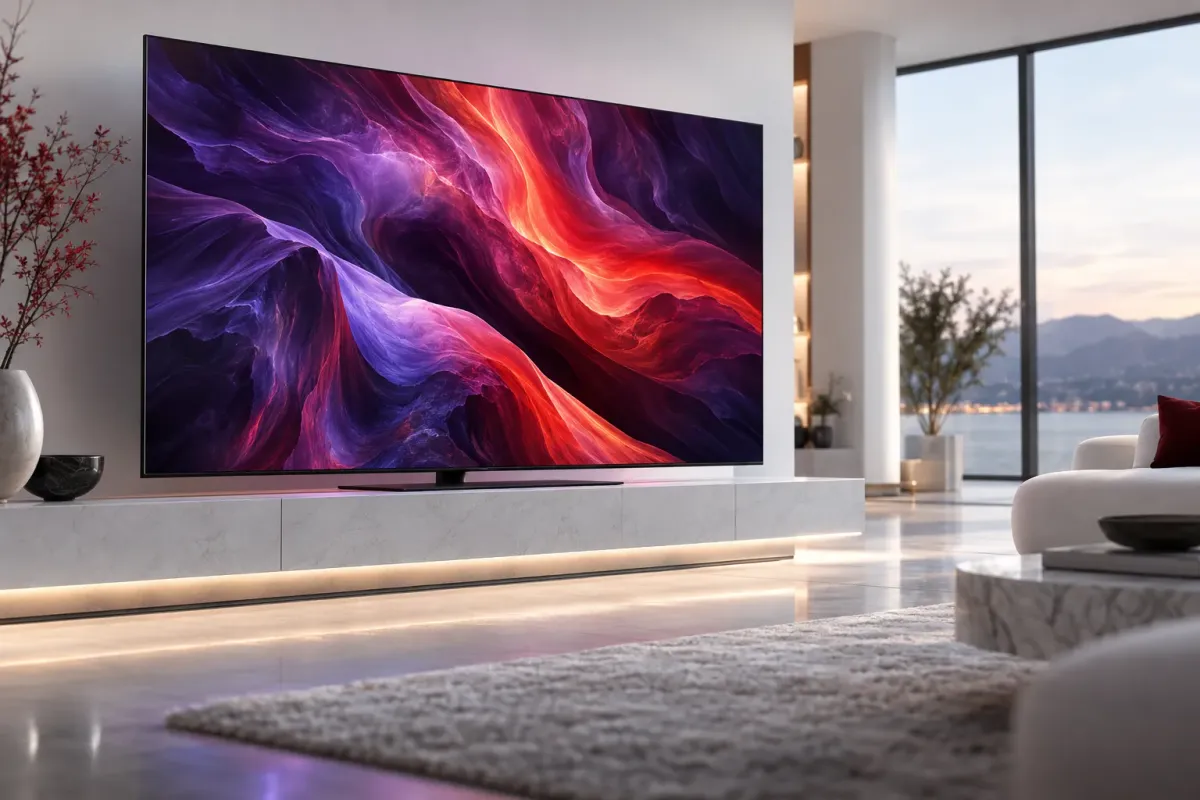
“Worth buying” depends on what the TV needs to do and what the sale includes. Start with a size that fits, then compare resolution, picture technology, gaming features, and return or delivery terms. All these things will help narrow your search this holiday season.
Budget Sizes: 32-Inch and 40-Inch Deals for Secondary Rooms
For a bedroom or another compact space, begin with screen dimensions and viewing distance. A lower-priced set can make sense when the main need is streaming or everyday TV in a smaller or seldom-used room. Compare the exact model’s smart-TV functions, available connections, and stand dimensions. If you are choosing between 32 and 40 inches, measure the space and consider how far away you will sit; a small price difference matters less if one screen is uncomfortable from your usual seat.
Mid Sizes: 55-Inch and 65-Inch QLED and Mini LED Value Picks
At 55 or 65 inches, compare what the TV’s display tier adds for your viewing habits. QLED is a step above UHD in TCL’s lineup; Mini LED sits above QLED, with RGB and SQD Mini LED above that. For shoppers considering a current, larger-screen TCL TV, the QM8L is our editorial recommendation for most buyers who want a premium feature set without starting at the technical flagship. It is part of the SQD Mini LED tier. A lower price on another tier may be the better fit if it meets your room and feature needs.
Big Screens: 75-Inch, 85-Inch, and 98-Inch Deals With Real Savings
Large screens can make sports, movies, and games feel more immersive, particularly when seating sets you up to feel part of the action. Measure the wall or stand, check the route into the home, and confirm delivery details before choosing an 85-inch or 98-inch TV. In TCL’s current lineup, the QM7L is the SQD Mini LED value step below the QM8L. The X11L is the SQD Mini LED Ultimate TV for shoppers whose budget, discerning taste, and room support that tier. Compare size-specific model details and the final delivered price rather than assuming a larger advertised markdown means a better purchase.
A smaller second room
Best for: Shoppers who need a compact screen and want to prioritize fit, basic viewing needs, and an affordable price.
An everyday living room
Best for: Customers upgrading from an older 40-inch or 42-inch TV, and viewers comparing 55- and 65-inch options, with room for a choice of display tiers and features.
A large viewing space
Best for: Households with an appropriate seating distance, enough wall or stand space, and a plan for large-screen delivery.
Specs That Actually Matter on Sale Day: Gaming, Bright Rooms, and Tech Tiers
A low sale price can make you try to ignore features you may want or need in the future. Check whether the listed features match your viewing needs, gaming needs, performance needs, and more. For gaming, focus on refresh rate, variable refresh rate, HDMI connections, and input lag. For daytime viewing, consider brightness and reflection handling. For movie watching, better brightness, color, and contrast will keep you “in the movie.” Understand what each picture tier adds before paying more for a discounted model.
Gaming Checklist: VRR, 144Hz Panels, HDMI 2.1, and Input Lag
A native 144Hz panel can display up to 144 frames per second when the console or PC and game support it, which can make fast movement look smoother. Variable refresh rate (VRR) helps the TV adjust its refresh timing to the game, reducing screen tearing. Check the exact TV’s HDMI port specifications: HDMI 2.1 features can support higher-bandwidth gaming, but the number of ports with those capabilities can vary by model.
Input lag is the delay between a controller command and the action appearing on screen. Lower lag can make a game feel more responsive, especially in fast-paced play. Look for measurements from a reliable test source and confirm the tested picture mode. A listing that says “Game Accelerator 288” can deliver astonishing PC gaming up to 288 VRR, with a slight trade-off in resolution, for the most demanding gamers.
QLED vs. Mini LED vs. OLED: What Each Discount Really Buys You
QLED adds a quantum-dot layer to an LCD TV to produce better color. Mini LED uses smaller backlight LEDs, typically managed in local-dimming zones, to adjust brightness across different parts of the screen. This is a critical feature that delivers great contrast between bright highlights and darker areas. OLED TVs have typically delivered great black levels at the cost of a bright picture, and they can require different handling from gamers.
In TCL’s lineup, UHD is the entry tier, followed by QLED, Mini LED, RGB-Mini LED, and our Ultimate picture: SQD Mini LED. A discounted TV’s position on that ladder tells you more about its feature tier than the size of its markdown. The QM8L is an SQD Mini LED model, while the X11L is the technical flagship in that tier. Choose by the picture features you will notice, not by the technology label alone.
| Technology | What it adds | Consider when shopping |
|---|---|---|
| QLED | Quantum-dot color on an LCD TV | Compare picture features and price within the model tier |
| Mini LED | A backlight with local dimming zones | Check size-specific brightness and dimming details |
| OLED | Light controlled at each pixel | Weigh dark-room viewing needs and your usage habits |
Peak Brightness and Reflection Handling for Sunny Living Rooms
In a bright room, ambient light can make a picture feel less vivid, while windows and lamps may reflect on the screen. Peak brightness can help HDR highlights stand out in daytime viewing and help overcome those bright-room obstacles. The higher the series TV, generally the brighter your image. An anti-reflective treatment can reduce reflections, but it does not remove them.
Timing the Market: When Black Friday TV Prices Actually Bottom Out
There is no dependable single day when every TV reaches its lowest price. Retailers may start promotions weeks ahead, change offers during Black Friday week, and carry selected discounts into Cyber Monday. Track the exact model and screen size you want instead of waiting for one supposedly perfect shopping day. Decide what price and features would make you comfortable buying, then check the offer terms as the season progresses. Also, many retailers offer extended price-match policies this time of year if the price drops toward the end of the year. Check your local retailers for specifics.
The Deal Calendar: Early Sales, Black Friday Week, and Cyber Monday
Early sales can be worth considering if the right size and features are available at a price you find reasonable. Waiting may reveal another markdown, but it can also mean fewer options in a particular size. That shows how prices can move through the season, not that every TV will follow the same pattern. Cyber Monday may bring another opportunity, though there is no guarantee it will beat a specific Black Friday offer.
Spotting a Real Discount: The Inflated-Reference-Price Checklist
A large percentage off is only useful when the model and its current selling price make sense for you. Compare the exact model number, screen size, and included features. Check the retailer’s displayed regular price against recent listings, and look for differences in delivery fees, accessories, or return conditions. A lower price on a different size or model tier is not an apples-to-apples comparison.
- Confirm the full model number and screen size.
- Compare the sale price with recent prices for that exact TV.
- Check whether shipping, delivery, or setup changes the final cost.
- Read the return policy and any restrictions on price adjustments.
- Save the listing or a screenshot so you can recheck the offer later.
Price Match, Return Windows, and Big-Screen Delivery Logistics
Before checkout, read the retailer’s current price-match rules and holiday return dates. Policies can differ by store, product, and purchase date, so do not assume a later price drop will qualify. For a large TV, measure the stand or wall, doorway, hallway turns, and stair access. Confirm whether delivery includes bringing the set inside, unpacking, or installation; those services may have separate terms. If you plan to mount the TV, check that the wall and mount support the set’s size and weight, and make arrangements for installation before delivery if needed. You can often get free install on a larger TV, making it worth going up in size! A bargain is less appealing when the TV cannot reach its intended room.
Frequently Asked Questions
When do the best Black Friday TV deals actually start?
The strongest Black Friday TV deals typically begin appearing in early November, well before the day itself. Sales often shift week to week, so compare the exact model and size against its features rather than letting a countdown timer decide for you.
Is Black Friday or Cyber Monday better for buying a TV?
Black Friday usually offers the wider TV selection, especially at popular sizes like 55, 65, and 75 inches. Cyber Monday can still surface solid deals, but stock on specific models tends to thin out, so if your size is in stock at a fair price, it is worth buying.
What size TV should I buy for my room and viewing distance?
Match screen size to how far your usual seat sits from the screen. A 32- to 43-inch TV suits bedrooms and compact spaces, 55 to 65 inches fits most living rooms, and 75 inches and up works best when seating is farther back. Measure your stand or wall width before ordering, since diagonal size does not tell you if the set fits.
How do I choose between QLED and SQD Mini LED on Black Friday?
Start with your room and budget, then compare tiers. QLED sits a step above UHD, while SQD Mini LED delivers higher peak brightness and better contrast and black levels for bright rooms and a more immersive movie night. A lower-priced model on a lower tier can be the smarter buy if it fits your room and viewing habits.
Which TV sizes get the deepest Black Friday discounts?
Mid sizes like 55 and 65 inches tend to see the widest deal activity, while large screens in the 75- and 85-inch range can deliver real savings, especially when seating is far enough back. Judge each deal against the exact model's features and final delivered price, not the size of the advertised markdown alone.
What should I check before buying a TV deal in a bright room?
Look for details on picture brightness, local dimming, and screen finish to handle ambient light, since windows and lamps can wash out dark scenes during the day. These things reduce distractions rather than removing them, so viewing the TV in lighting similar to your own room is the best test.
Are big-screen Black Friday TV deals worth it for an 85-inch or 98-inch TV?
Big-screen deals are worth it when your room supports the size, your seating is the right distance (remember the “move the decimal point” rule!), and the delivery route and wall or stand space can handle the panel. Measure first, then compare the final delivered price and the model's picture features rather than assuming a larger markdown means a better purchase.